Training that respects what you already know
Show what you can do, skip what you've already got, and spend your time on the skills that help you most.
My Skills, in plain words
See what you're good at, what needs practice, and what hasn't been tested yet, with the actual results behind each one. If something looks wrong, you can ask for a correction or a re-check.
- Listening to customersStrong area
- Handling objectionsNeeds practice
- Product knowledgeMeets expectations
- Follow-up and CRM notesNeeds a fresh check
- NegotiationNot tested yet
What it looks like
Your home page, the catalog, learning paths, exams and results, recommended practice and scenarios, on a computer or a phone. Real screens; the person in them is made up.
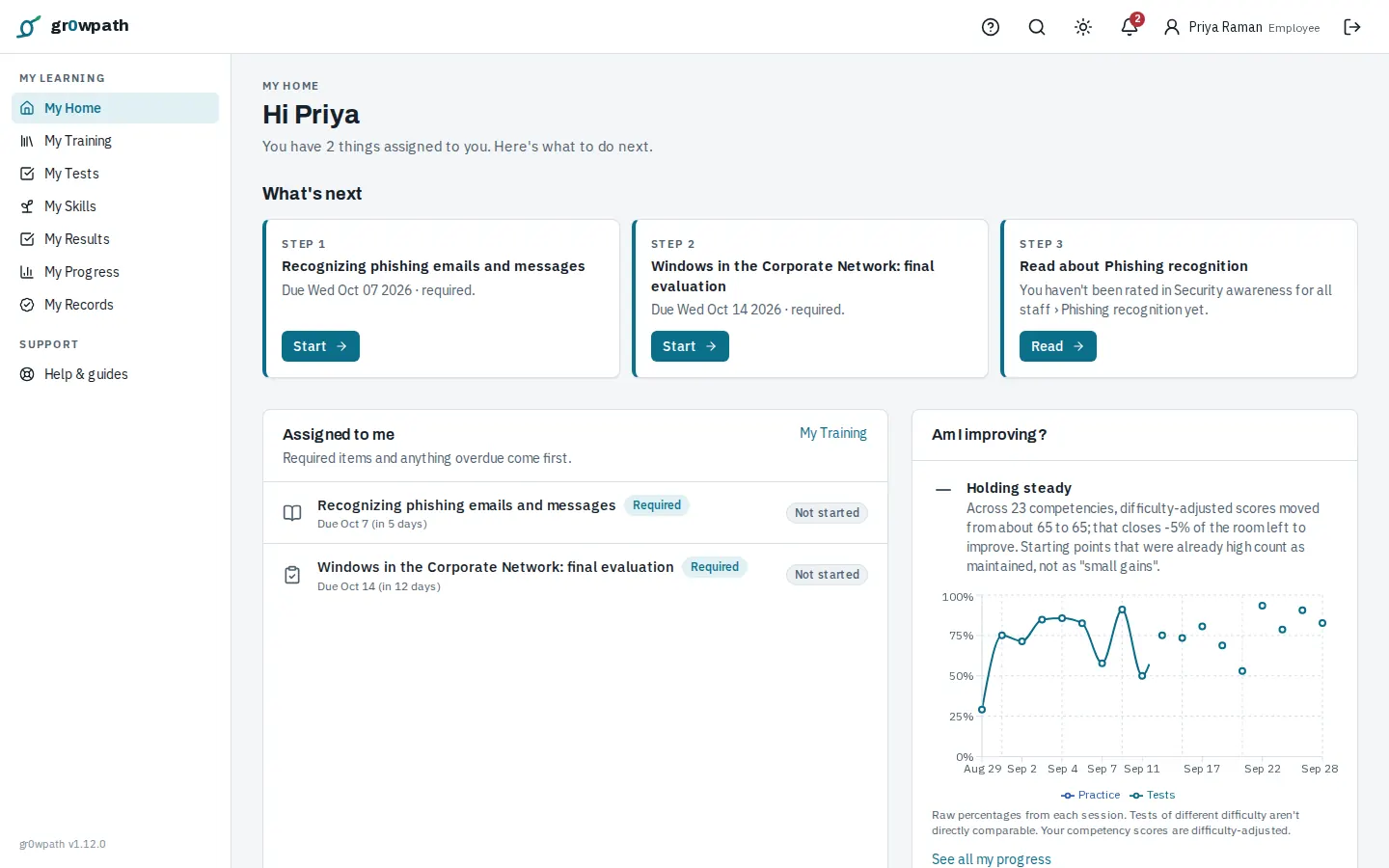
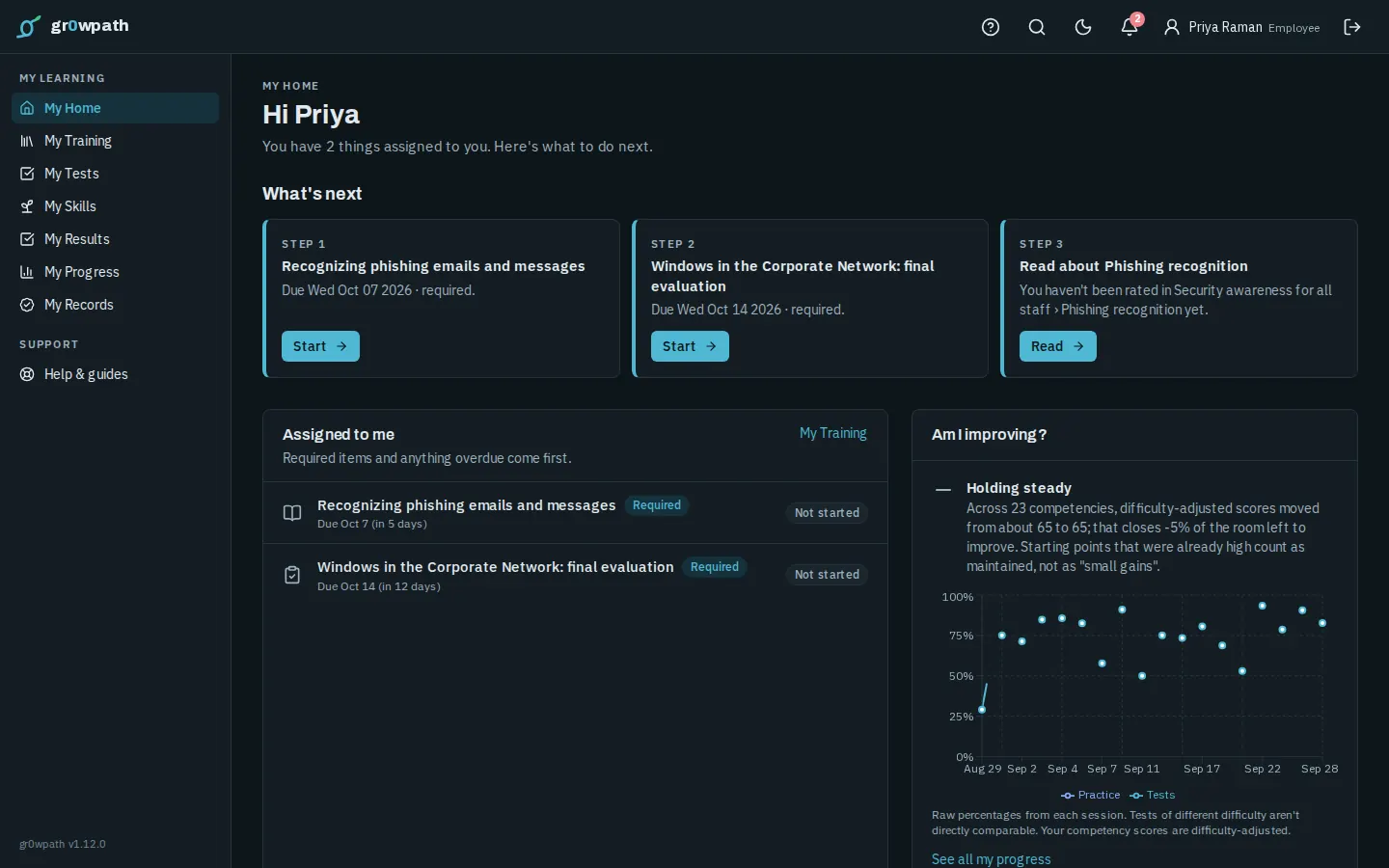
My Home
What to do next, what's assigned and whether you're improving, on one page.
- What's next. Up to three next steps, assigned and due items first.
- Assigned to me. Required and overdue items come first, with due dates and status.
- Am I improving? Progress explained in plain words, based on difficulty-adjusted scores.
Screen 1 of 12: My Home
Watch a 2-minute tour
A day in the app: My Home, a course, an exam and its results, recommended practice, a scenario and My Skills. Narrated, with captions and a transcript.
Read the transcript
My Home 0:00
My Home is the first page an employee sees: what to do next, training assigned to them with due dates, and recommended practice picked from their own results.
Training catalog 0:10
The training catalog holds every course, with its level, length and objectives. Search or filter to find something, then open it.
A course and a lesson 0:20
A course page lists what you'll be able to do and the steps inside, with a tick on each one you've finished. Lessons are short and readable, with diagrams and narrated videos.
A learning path 0:32
Courses are grouped into learning paths for a job. A path starts with a skills check, then courses, scenarios and a final check, and shows progress step by step.
Starting an exam 0:43
Before an exam, the rules are explained in plain words: the pass mark, the time allowed and how many attempts there are.
Answering questions 0:51
Questions come in many forms. Some include a photo, a table or a diagram to read. You can say how sure you are, flag a question, and move around freely before submitting.
Results with sections 1:04
After grading, results show the score against the pass mark, then a breakdown by section, so it's clear what went well and where to focus next.
Recommended practice 1:14
Anything below the standard becomes recommended practice: a short lesson, practice with explanations, then a check on questions they haven't seen before.
Completion record 1:24
Passing an exam adds a completion record, which can be opened, printed or saved as a PDF.
Playing a scenario 1:30
Scenarios put people in a realistic situation. They explain what they'd do first and why, choose an action, and see what happens. A supervisor reviews the reasoning, not just the choice.
Scenario results 1:48
When the supervisor has reviewed it, the results show the final score, their feedback, and each part of the score against a clear description of good work.
My Skills 1:58
My Skills puts it all together in plain labels: strong areas, what needs practice, other roles that might suit you, and what to learn next. Every page works in light or dark mode.
Recorded in a test copy of the product. Harborline and everyone shown are fictional. Narration: synthetic voice (Piper TTS, LJSpeech voice; dataset in the public domain). Captions are on by default.
What you can do
My Home
Your next three things to do, what's due, and how you're improving.
My Training
Lessons and recommended practice for your own gaps, plus extra areas your team has opened up for you.
My Tests
Skills checks and scenarios, clearly marked as practice (hints allowed) or independent (no hints; your supervisor reviews scenarios and written answers).
My Skills
Strengths, things to practice, what you've shown for your job, and other areas that might suit you.
My Progress
Results over time and how much you've improved on similar tasks.
Your say
Rate yourself (shown separately, never changing results), say which jobs interest you, and ask for changes to your plan.
Customer (fictional): "This is the third time my order arrived wrong. What are you going to do about it?"
"I need the details before I promise a fix, and they need to know I heard that it's the third time."
Fair by design
- • Long answers, spelling and speed don't earn points. Clear reasons do.
- • “I don't have enough information yet” is a good answer when you say what you'd check next.
- • Results are about recent work, never labels about you as a person.
- • Suggestions for other jobs are ideas only. They never change your job or pay.
See it with your own jobs and topics
Tell us about your team and we'll walk you through setup, from choosing jobs to your first skills check.